
G Cloud provides its users with various ways to earn free storage, allowing them to expand their cloud space at no additional cost. These options make it easy to enjoy more storage for backing up important data while engaging with the app’s features and community.
How to Earn Free Storage
- Ensure that the G Cloud app on your Android or iOS device is updated to the latest version.
- Launch the G Cloud app on your device.
- Tap the menu ≡ icon located at the upper-left corner of the screen and select Invite & Earn from the menu options.
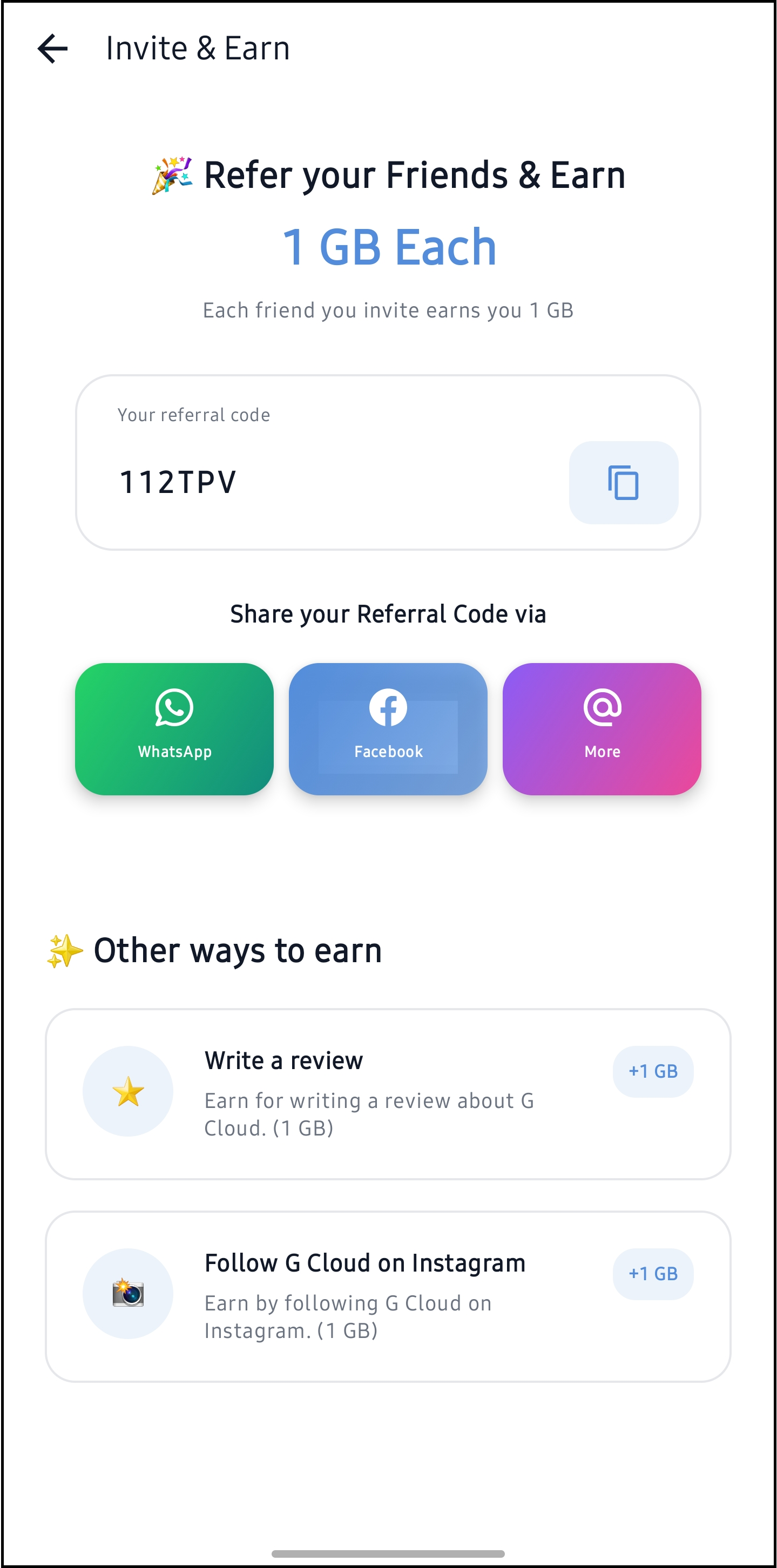
- In the opened screen, you will find the following options to earn free storage:
- Refer Your Friends & Earn: Invite your friends to join G Cloud using your referral code. For each successful invitation, you earn additional storage. (Learn more)
- Write a Review for G Cloud on Google Play: Share your experience by writing a review for G Cloud on the Google Play Store and earn free storage as a reward.
- Follow G Cloud on Instagram: Stay updated with the latest news, tips, and features by following G Cloud on Instagram. Earn free storage as a token of appreciation for joining the community.
By participating in these activities, you can grow your G Cloud storage and enjoy the benefits of secure and expansive data backup.