
To permanently close a G Cloud account, adhere to the steps provided below to delete the account along with all data stored within it.
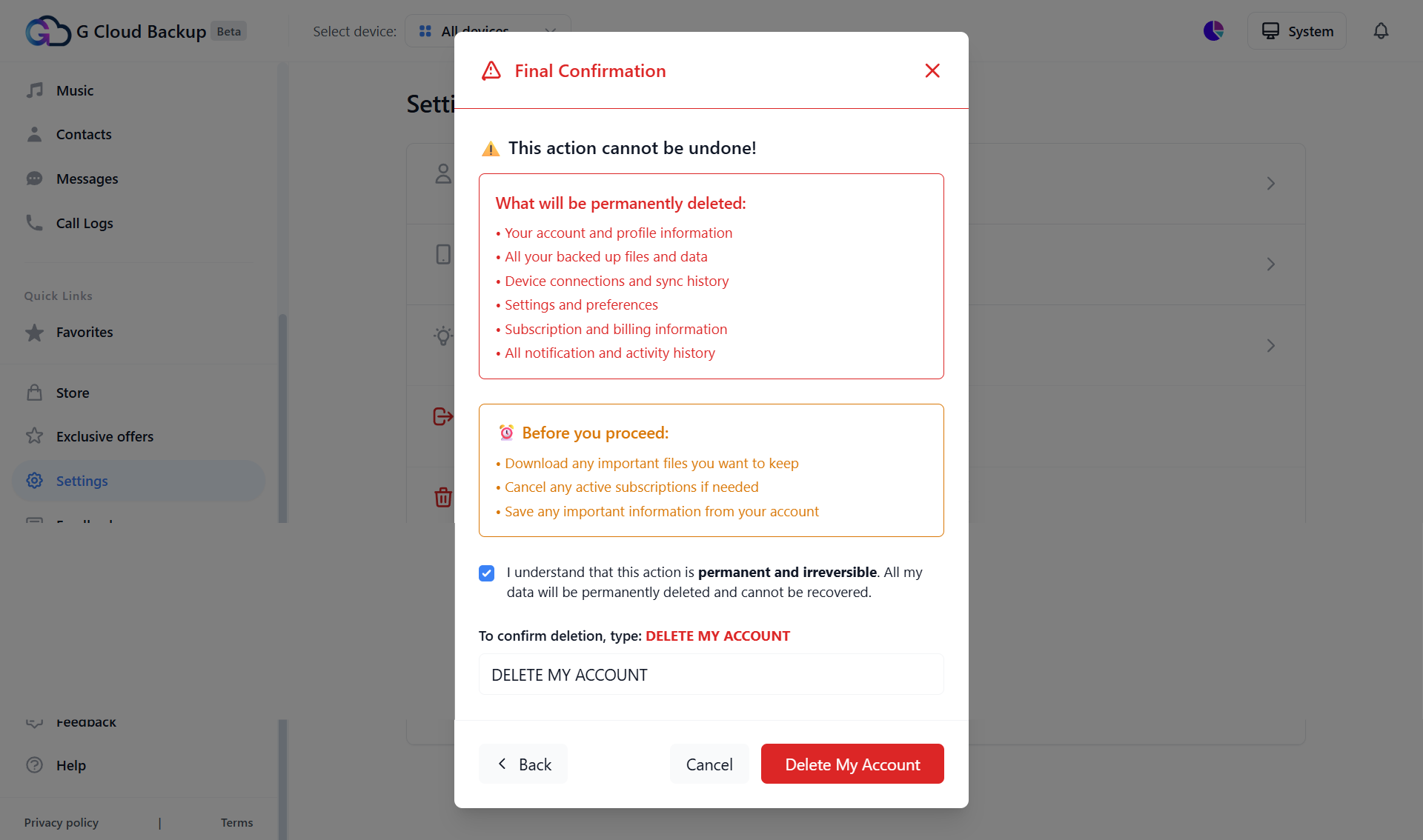
What will be permanently deleted:
- Your account and profile information
- All your backed-up files and data
- Device connections and sync history
- Settings and preferences
- Subscription and billing information
- All notification and activity history
Warning! Deleting the account is irreversible and cannot be undone.
Before you proceed with account deletion:
- Restore/download any important files you want to keep
- Cancel any active subscriptions if needed
- Save any important information from your account
Method 1. Via the G Cloud Mobile App
- Ensure your G Cloud app is updated to the latest version, whether you are using an Android or iOS device.
- Open the G Cloud app.
- Tap the menu icon ≡ in the upper-left corner and tap Settings.
- Tap the Delete Account option.
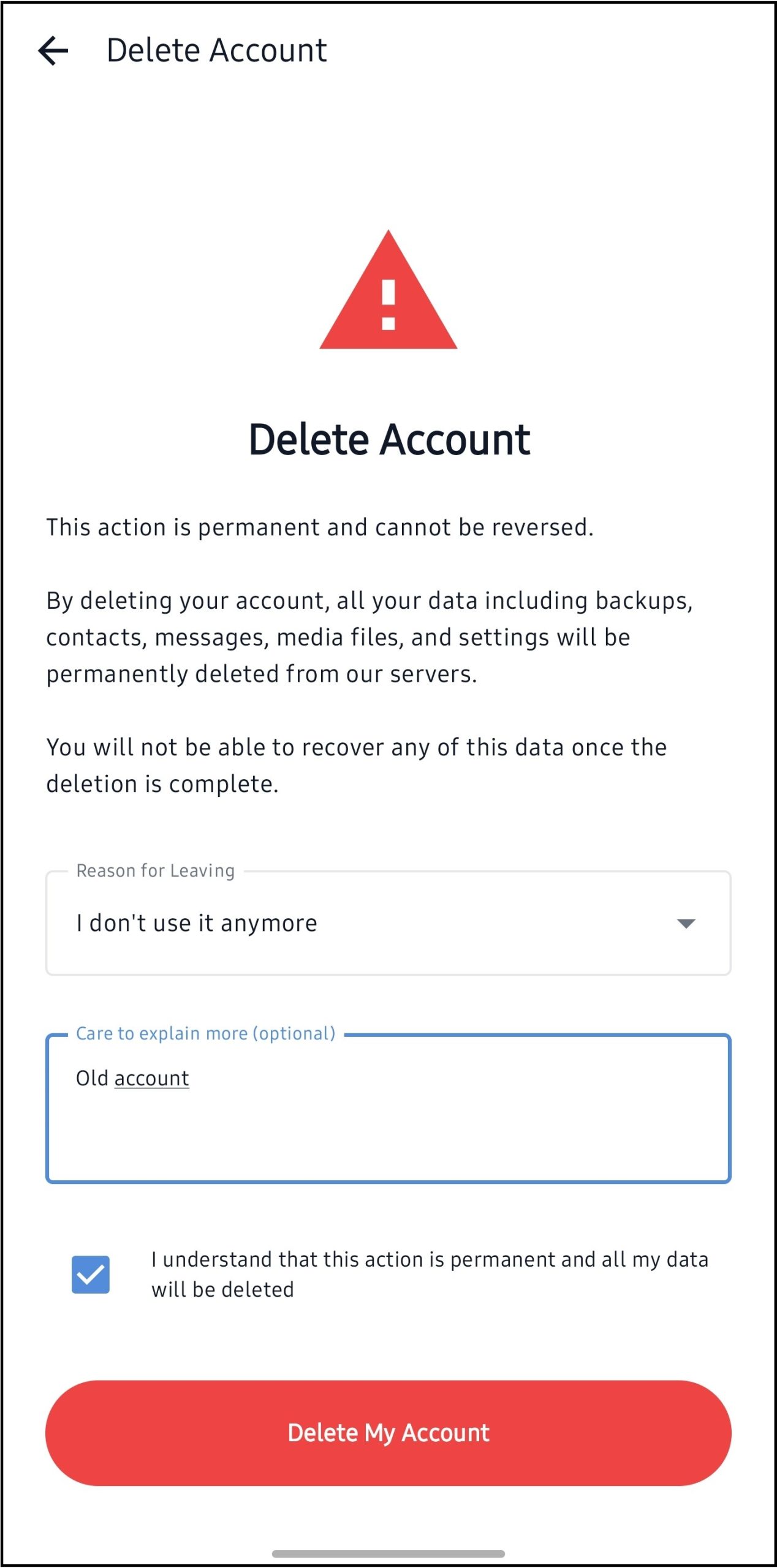
- In the opened screen, fill in the reason for deleting the account, confirm that you understand this action is permanent, and tap the Delete My Account button.
- If asked, confirm the login password for this G Cloud account to proceed with the account deletion.
Once the account is deleted, an “Account Deletion Confirmation” email from G Cloud <no-reply@gcloudbackup.com> will reach you.
Method 2. Via the G Cloud Web Console
- Log in to your G Cloud web console.
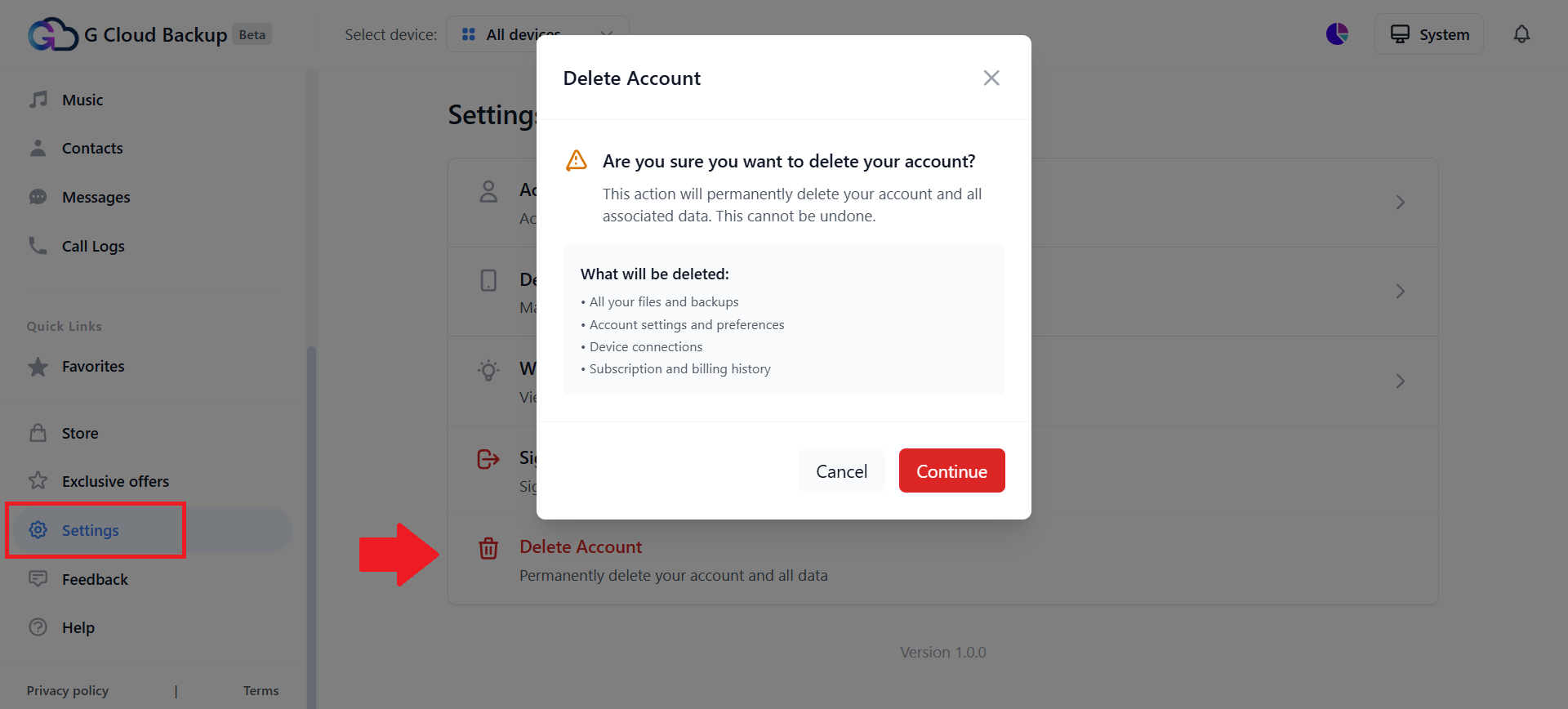
- From the left-side panel, select Settings.
- From the Settings page, select Delete Account.
- Read the information in the opened pop-up and click Continue to proceed.
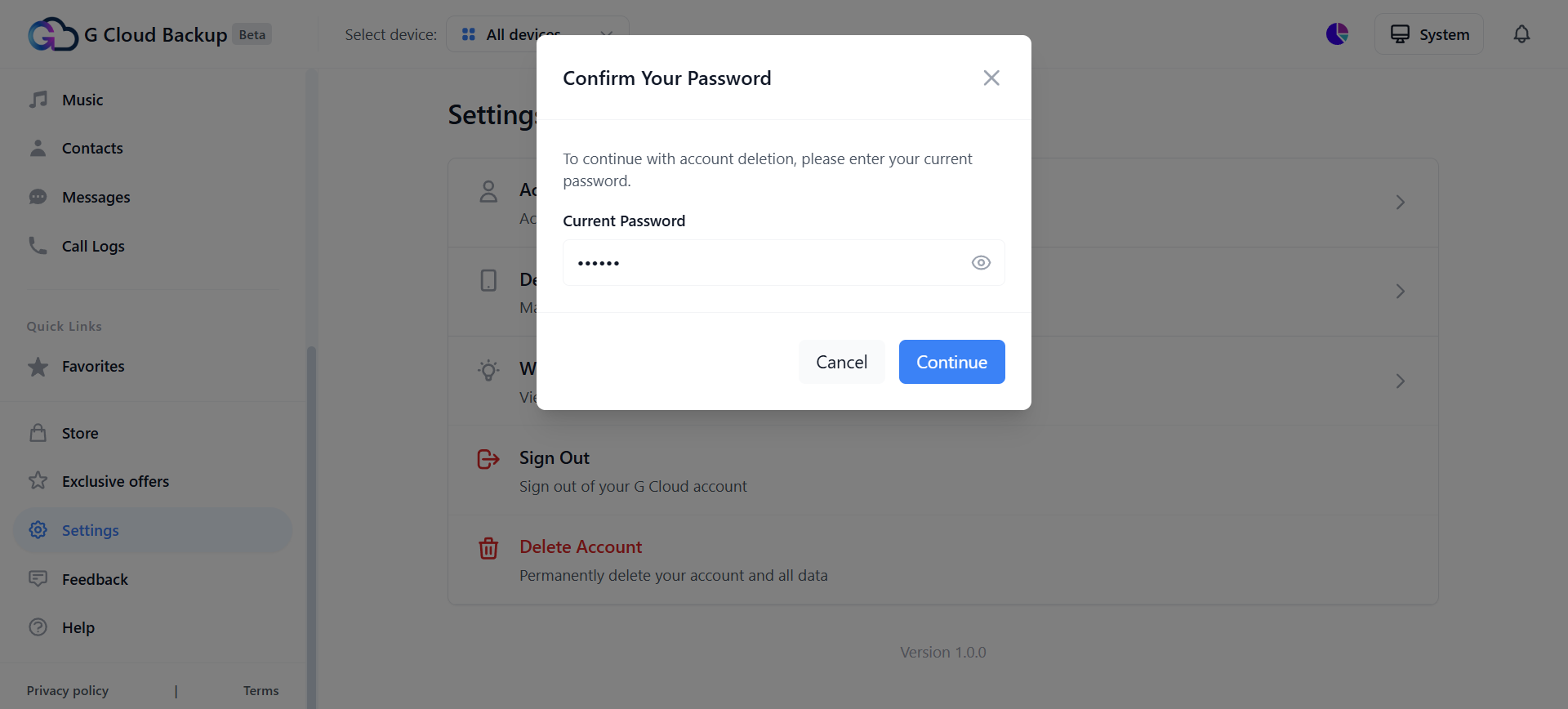
- If your G Cloud account is registered via an email and password combination, the system will ask you to type your current login password. Type it and click Continue.
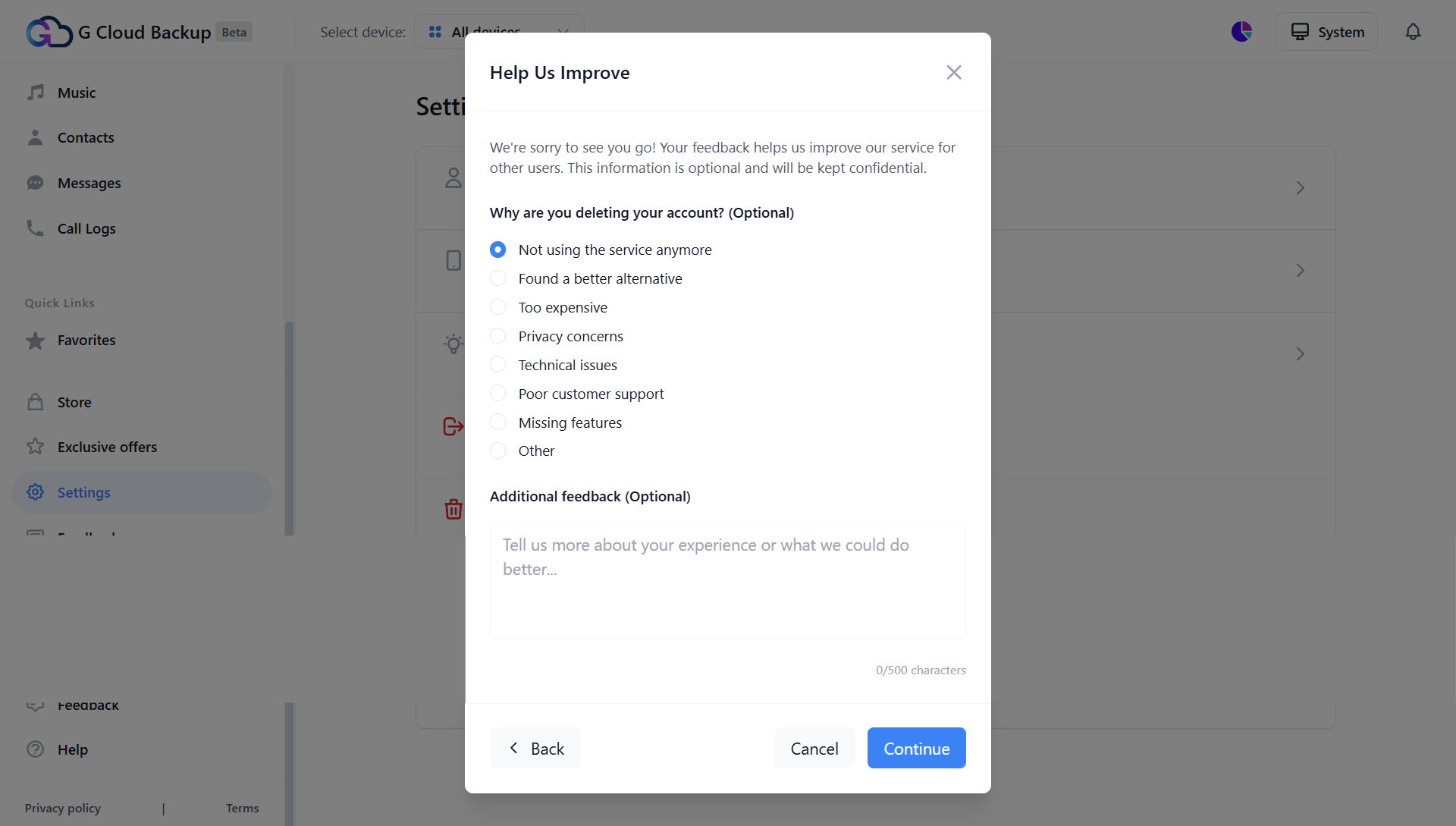
- Let us know why you are deleting this G Cloud account by submitting your feedback. Click Continue to proceed.
- Read the Final Confirmation. Check the box next to “I understand that this action is permanent and irreversible. All my data will be permanently deleted and cannot be recovered.“, type “DELETE MY ACCOUNT” in the requested field, and click the Delete My Account button.
When the account is successfully deleted, an Account Deletion Confirmation email from G Cloud <no-reply@gcloudbackup.com> will reach your inbox.