
With G Cloud, removing a specific device from your account will stop the backup process for that device. Additionally, all data previously backed up from that device will be permanently removed from the cloud.
Warning! This action is irreversible.
How to Delete a Device
- Log in to your G Cloud web console.
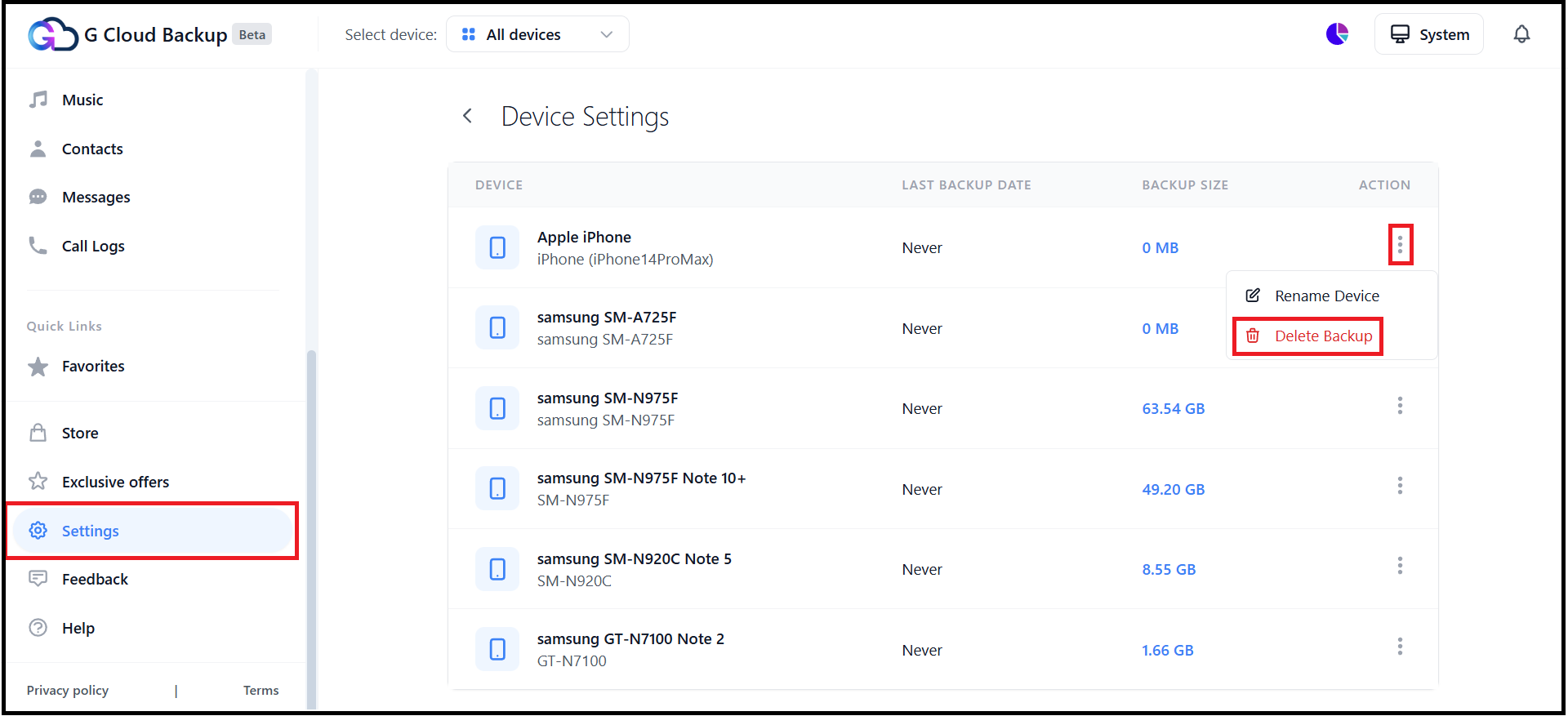
- From the left-side panel, select Settings.
- Select Device Settings.
- On the Device Settings page, you will see a list of all devices backed up under your G Cloud account. Locate the target device, click its actions ⋮ icon, and click Delete Backup.
- Confirm your request.
Important Notes
Data Loss Risk
- Deleting a device will result in the permanent removal of all data backed up from that device.
Irreversible Action
- Once a device is deleted, the action cannot be undone.
Account Structure Limitations
Some devices cannot be deleted, depending on the structure of your account. You may encounter the following message:
“This device cannot be deleted because you have restored files from this device to other devices.”
In such cases, the deletion cannot proceed, as it would compromise the integrity of your backup system.